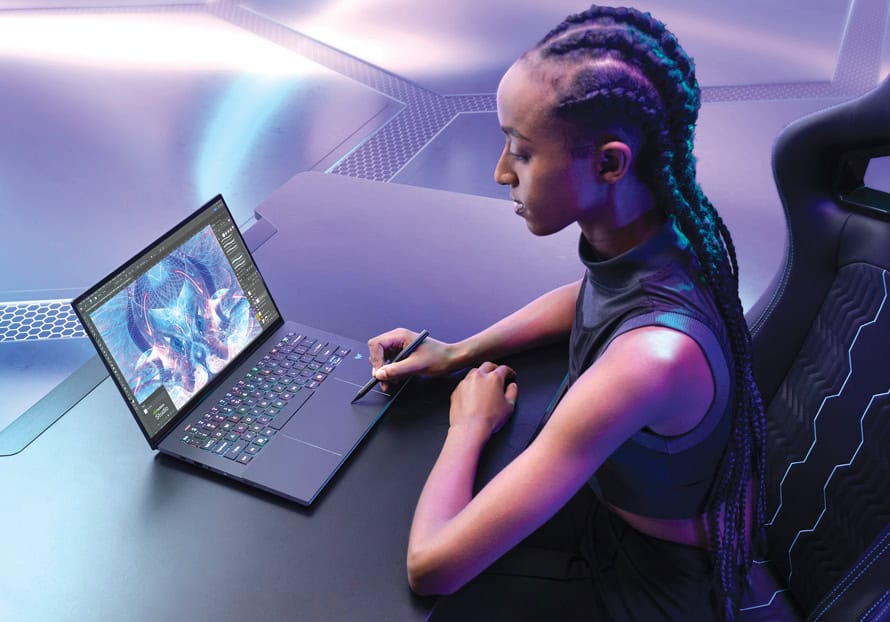
What to look for in a gaming computer
While an “everyday” computer is ideal for reading email, browsing the web, editing documents and accessing social media—you’ll likely want a more powerful PC for gaming. After all, if you want to be on the winning team, you’ll require a lot more power and graphics capabilities to ensure a smooth and enjoyable experience.
When you’re shopping around there are few other considerations to keep in mind to ensure a more smooth, enjoyable experience. Whether you’re shopping for yourself or looking to give someone the ‘best gift ever’, here’s a breakdown of what to look for—followed by some recommendations for the different kinds of gaming systems on the market right now. But, before we look at specific models, keep these features and specs in mind:
Look for a form factor, operating system
Just like an all-purpose PC, you’ll need to decide if you want a stationary computer or a portable one.
A desktop computer, with a tower, is ideal for swapping out components over time, such as improving the graphics card or adding more storage or system memory (RAM). This isn’t as easy to do with an “All-in-One” desktop, where the computer is built behind the monitor.
A gaming laptop is also more difficult to change out components, if that’s important to you, but, just like your everyday computer, you can bring a laptop wherever you go – which may help extend your fun times to work-trips, vacations and visits with friends.
Speaking of portability, handheld gaming PCs are a growing trend, too. They kind of look like a Nintendo Switch—with an attractive screen in the centre of the device and console-like controls on each side. More on this shortly.
As far as operating systems are concerned, Windows 11 is without question the operating system to go with if you’re a gamer. While there are benefits to a Mac (Apple) or a Chromebook (Google), most games require a Windows PC because of its huge install base, vast hardware availability, and better performance optimization.
Think processor and graphics
This is the most important decision. Look for a CPU with high clock speeds and a good number of cores (the higher the number, the better), such as a laptop or desktop powered by an Intel Core Ultra 7 or 9, or an AMD Ryzen 7 or 9.
For graphics performance, aim for a “dedicated” (or “discrete”) GPU, opposed to an “integrated” GPU, with plenty of VRAM and a high clock speed, like one from the NVIDIA GeForce RTX/GTX or AMD Radeon RX family.
There are exceptions but generally the same is true about “the higher the number the better” for graphics cards, such as the NVIDIA GeForce RTX 5070 a better choice over a 5060 card.
Other specs to watch for
A laptop screen or desktop monitor should have a fast refresh rate, measured in hertz (Hz), which represents how many times per second your monitor can display a new image (144 will be much smoother than 60, for instance). Many laptop gamers prefer a matte screen (opposed to a glossy one).
Speaking of visuals, RGB lighting embedded in the keyboard is fun, too.
When it comes to RAM, look for at least 16GB of RAM, which is the sweet spot for most modern computer games. Budget permitting, 32GB is even better, especially for more demanding PC games. More RAM also helps with multitasking.
For storage, opt for an SSD (Solid State Drive) opposed to a HDD (Hard Disk Drive), as SSDs offer significantly faster loading times compared to traditional hard drives. Plus, SSDs are smaller, lighter, quieter, more durable and energy efficient. Go with at least 1 terabyte (1TB) of storage, though 2TB and up is recommended.
Gear for gamers?
A few thoughts for those looking to treat themselves—or that special person—to a new gaming rig.
ROG Xbox Ally Series
What’s the only thing better than a computer powerful enough to game on? When it can also fit in your pocket, to take anywhere. Made by several manufacturers—including the just-launched ROG Xbox Ally ($799) and ROG Xbox Ally X ($1299), these portable computers include a large touchscreen in which to game on, as well as comfortable gaming buttons and analog sticks on each side (and trigger buttons on the back), allowing you to hold it like a regular game controller.
These mini-computers let you log into your favourite gaming services—like Steam, Epic Games Store, and Xbox Game Pass—to download and play several thousands of titles.
These models enjoy long battery life, a quiet fan, and the option to connect headphones (wired or wireless).
While they somewhat resemble the Nintendo Switch gaming system, these are full Windows 11 PCs, and can be used as such, if desired. That is, when you’re done playing games, you can check your email, browse the web, scroll through social media, look at photos, watch videos, play music, open a word processor, create presentations, and everything else you can do on a computer. Along with Wi-Fi, these also have Bluetooth, which lets you wirelessly connect a mouse and keyboard, if you like.
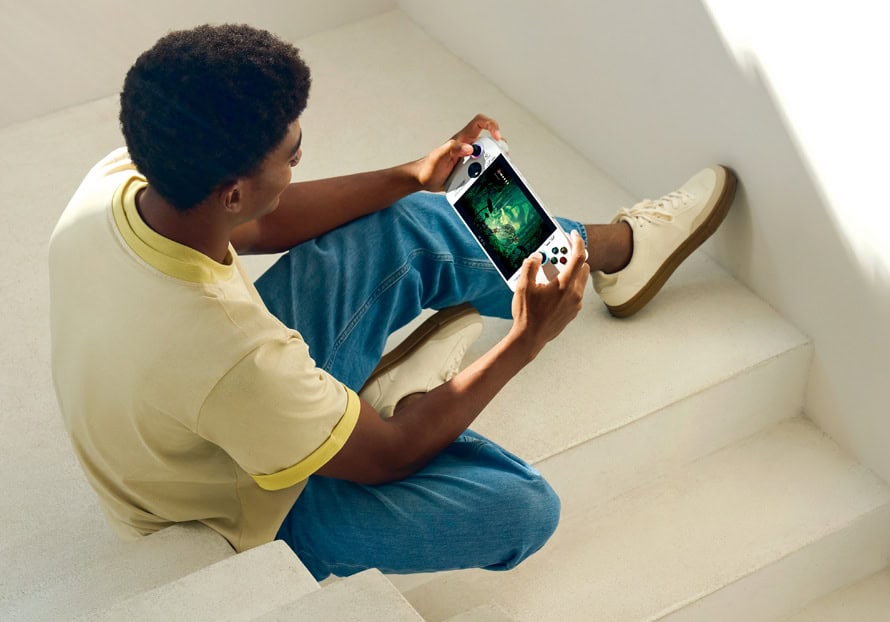
One of the most underrated features? The option to connect these handheld PCs to a much bigger display when you’re in one place for a while. For example, you can play on the device itself while in your seat on an airplane—but then continue your game on your hotel room’s big-screen TV. Or connect it to your computer monitor when you’re back at home and treat it like a regular computer. A USB-C to HDMI cable is required and may not be included.
If you run out of storage, these devices include a microSD expansion slot.
Gaming laptop with AI
Want something for work and play? For your 9-to-5 business life and your 5-to-9 downtime.
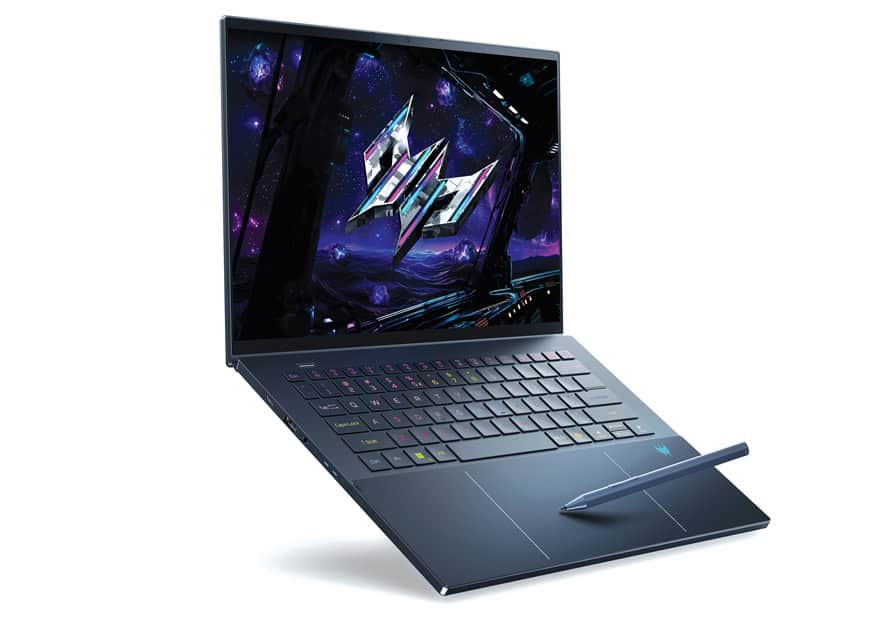
From Acer, the Predator Triton 14 AI (from $2299) is a super thin Copilot+ PC, built for gamers and content creators, who demand extraordinary performance.
Unveiled this summer at the Computex trade show in Taipei, this Windows 11 laptop features up to an Intel Core Ultra 9 processor 288V and NVIDIA GeForce RTX 5070 GPU, and in the screen department, a 14.5-inch OLED WQXGA+ touch display.
Along with a touchscreen, it also includes a unique feature Acer hasn’t had in its gaming laptops before: a haptic touchpad, so you can feel the action, plus it works with a stylus, too.
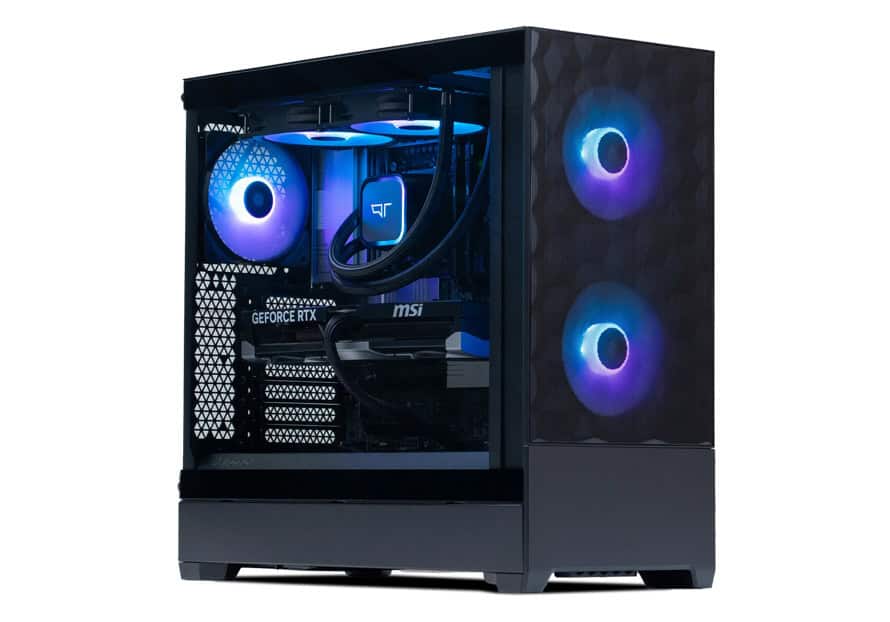
Custom-built gaming PCs
Patriotism has never been so strong, and the good news is you buy Canadian without sacrificing style, performance, or longevity.
Quoted Tech is a go-to Canadian source for high-powered, custom-built PCs. Each system is handcrafted in Canada using premium components and rigorously tested to deliver exceptional speed, graphics, and reliability for gamers, creators, and power users. Since launching in 2021, it has quickly grown to serve over 10,000 customers across the country.
The Frontier series (from $1549) is a good start, with its impressive specs—like AMD Ryzen 5 5600 processor (6 Cores, 12 Threads Up to 4.4Ghz), Nvidia RTX 5050 graphics, and 32GB of DDR4 RAM—but those in the market for something truly special should consider the Great North series (from $4499).
Inspired by the Canadian tundra, this gaming PC was built for power users, with its AMD Ryzen 7 9800X3D processor (8 Cores, 16 Threads Up to 5.2 GHz), Nvidia RTX 5070 Ti graphics and 32GB RAM (DDR5).
Seatbelt not included!

Accessibility, too
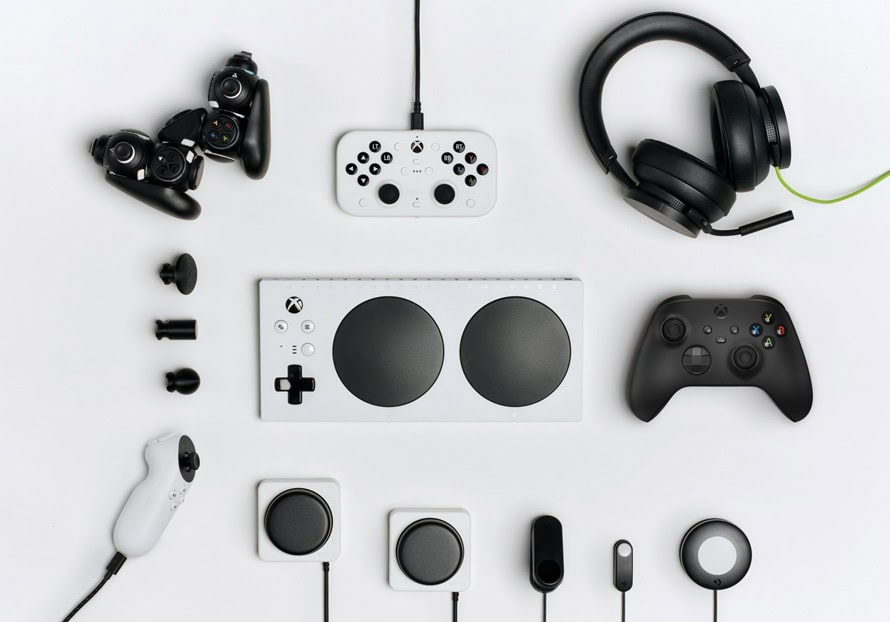
Finally, it’s great to see gaming companies taking steps toward inclusion, led by Microsoft and its Xbox Adaptive Controller ($129) to address the needs of gamers with limited mobility.
Designed for use with Windows PCs and Xbox gaming consoles, the white hub works with a range of external assistive devices—including switches, buttons, mounts, and joysticks—to create a custom controller experience to suit an individual’s specific challenges.
Several online videos show gamers playing with one hand, or feet, and even a mouth-based accessory for quadriplegics (called QuadStick).
PlayStation, also has an Access controller ($119) for its PS5, to support adaptable play styles, thanks to its swappable button and stick caps, with varying lengths, and for use on different flat surfaces, a wheelchair tray, and more.
For the past 30 years, Marc Saltzman has been a recognized expert in consumer electronics, business tech, and automotive trends. Marc is a keynote speaker across North America and hosts the weekly Tech It Out podcast. You can follow Marc on X @ marc_saltzman.